Film, join and run your lobby from inside VR.
XERX gives Gorilla Tag a camera with five modes, a menu on your hand and a menu on your desktop. Open the launcher, press Launch, and it's in your game.
Free to start · Windows PC VR · Needs BepInEx
See it in game.
Recorded in a headset: the hand menu with the laser pointer, and the camera tablet in first person.
Five ways to film, one tablet to run them.
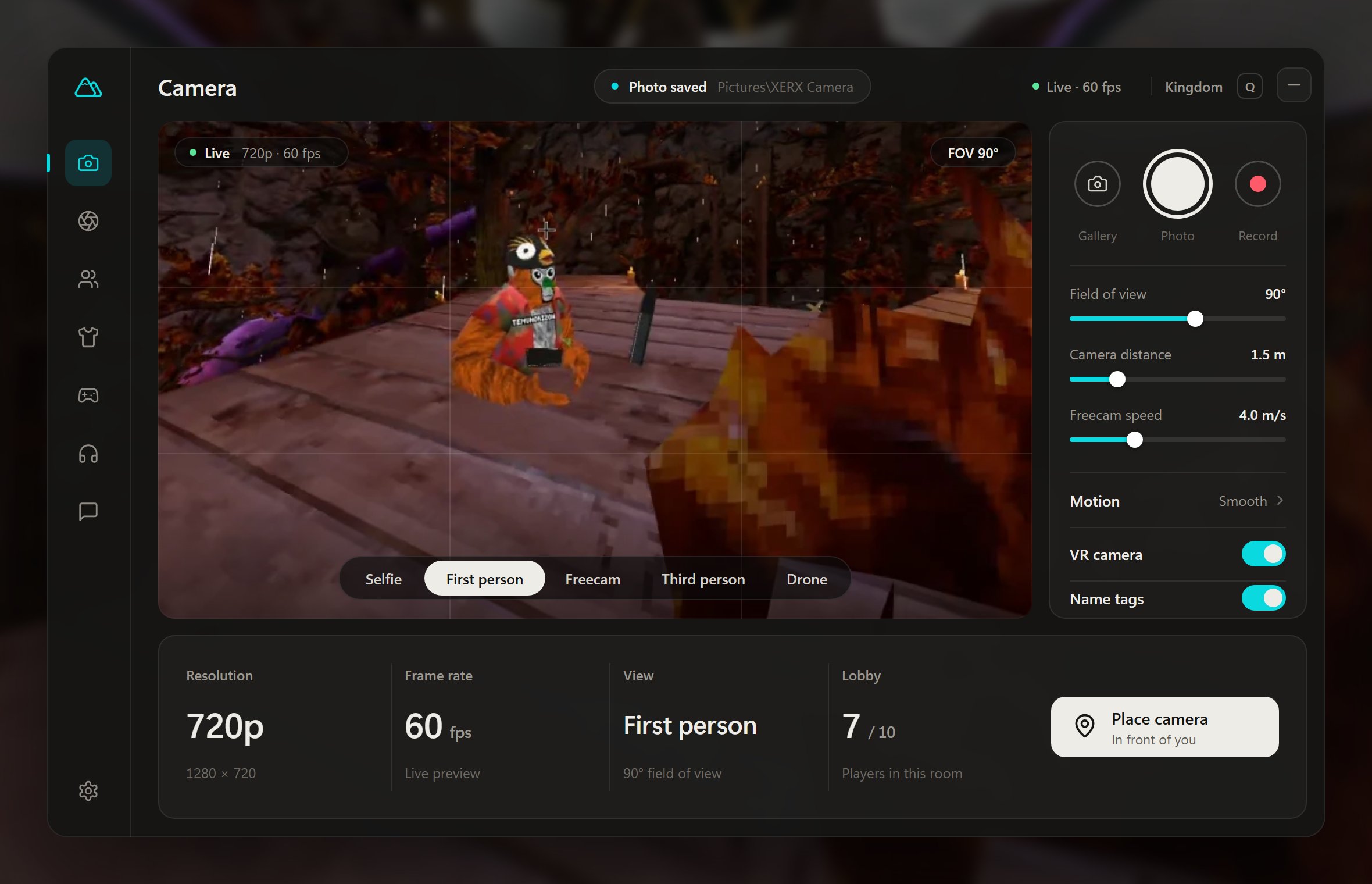
The camera floats next to you as a tablet with a live view. Press the shutter for a photo, or record with the game's sound.
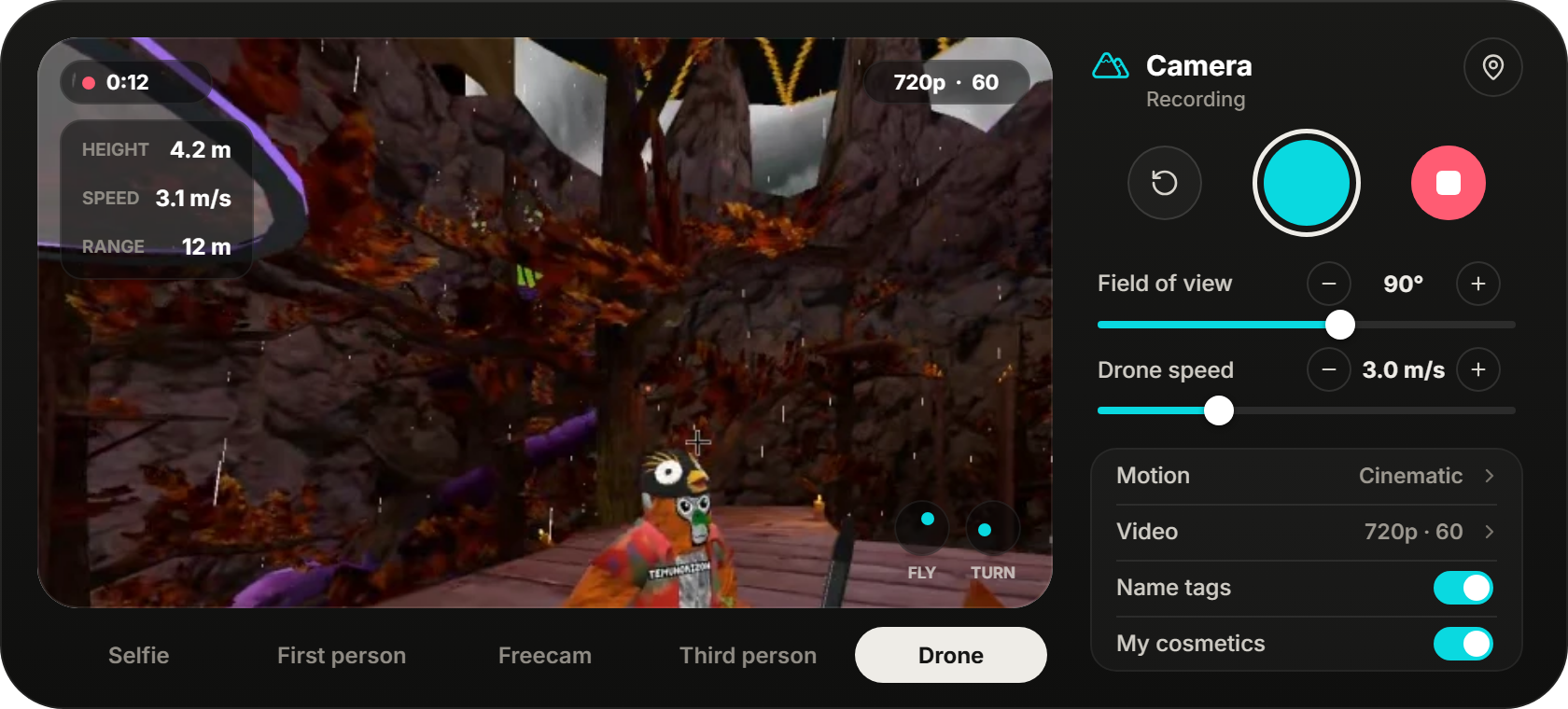
Selfie, first person, third person, freecam and a drone you fly with the sticks.
With game audio, 360p to 1080p at 60 to 120 fps, in files small enough to keep.
One press, saved as JPGs straight to Pictures\XERX Camera.
Smoothing, motion blur and a level horizon, or the Smooth and Cinematic presets.
Slide or step them, and grab the handles to move or resize the tablet.
Turn name tags or your own cosmetics on or off for the camera only.
Your whole lobby, on the back of your hand.
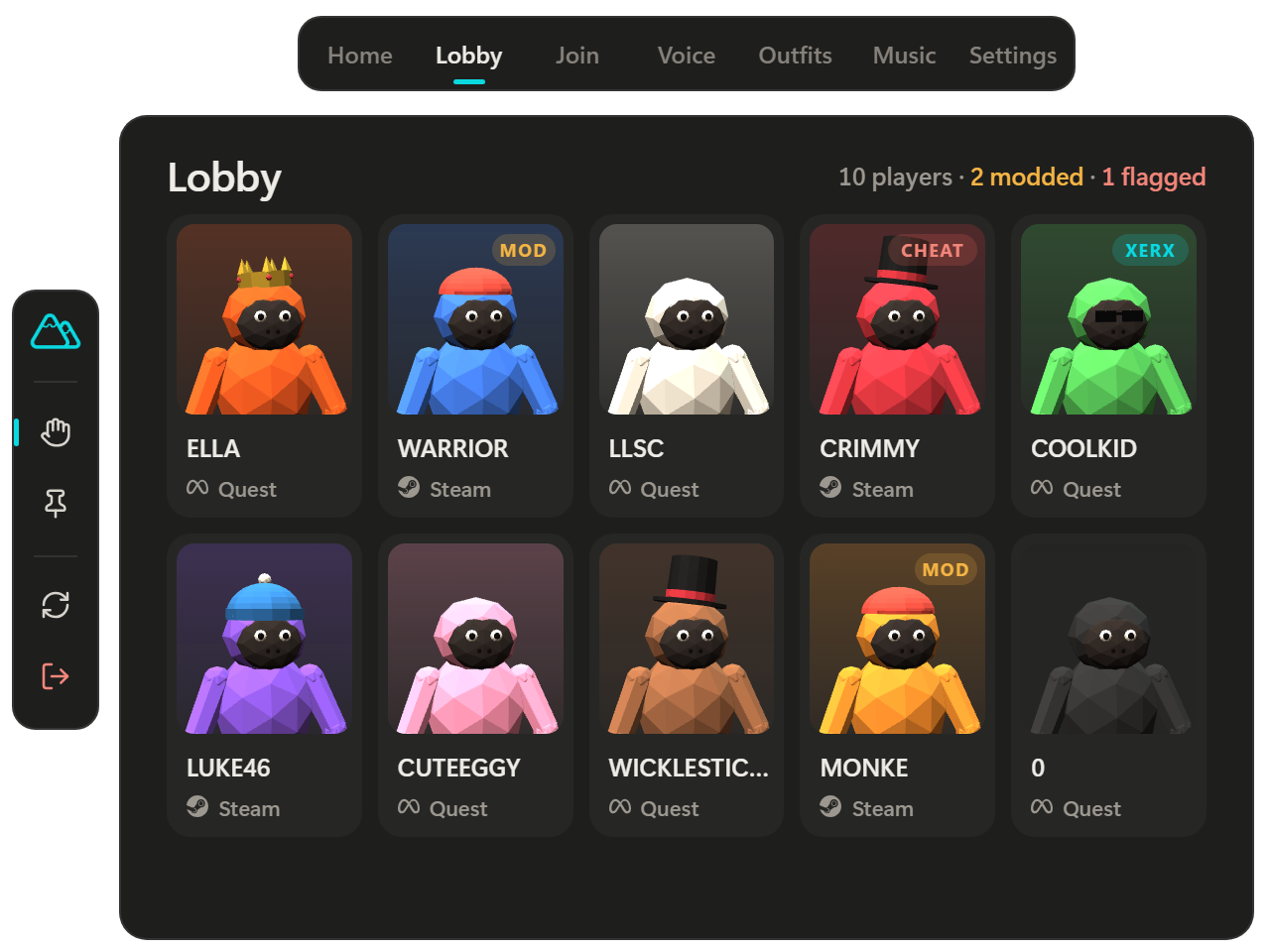
Press X or A and the menu opens on that hand. Tap it with a finger of your other hand, or let it float wherever you leave it.
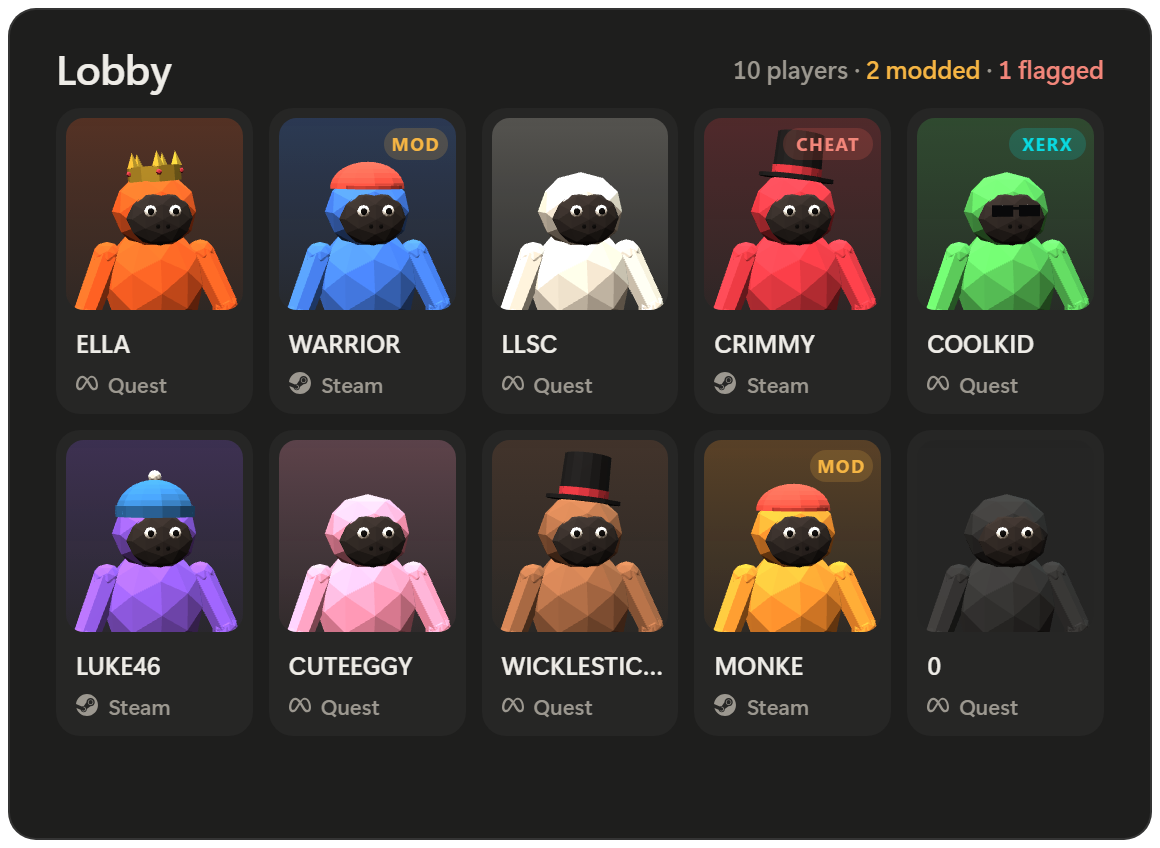
Every player with a live portrait, their platform and any mods they run.
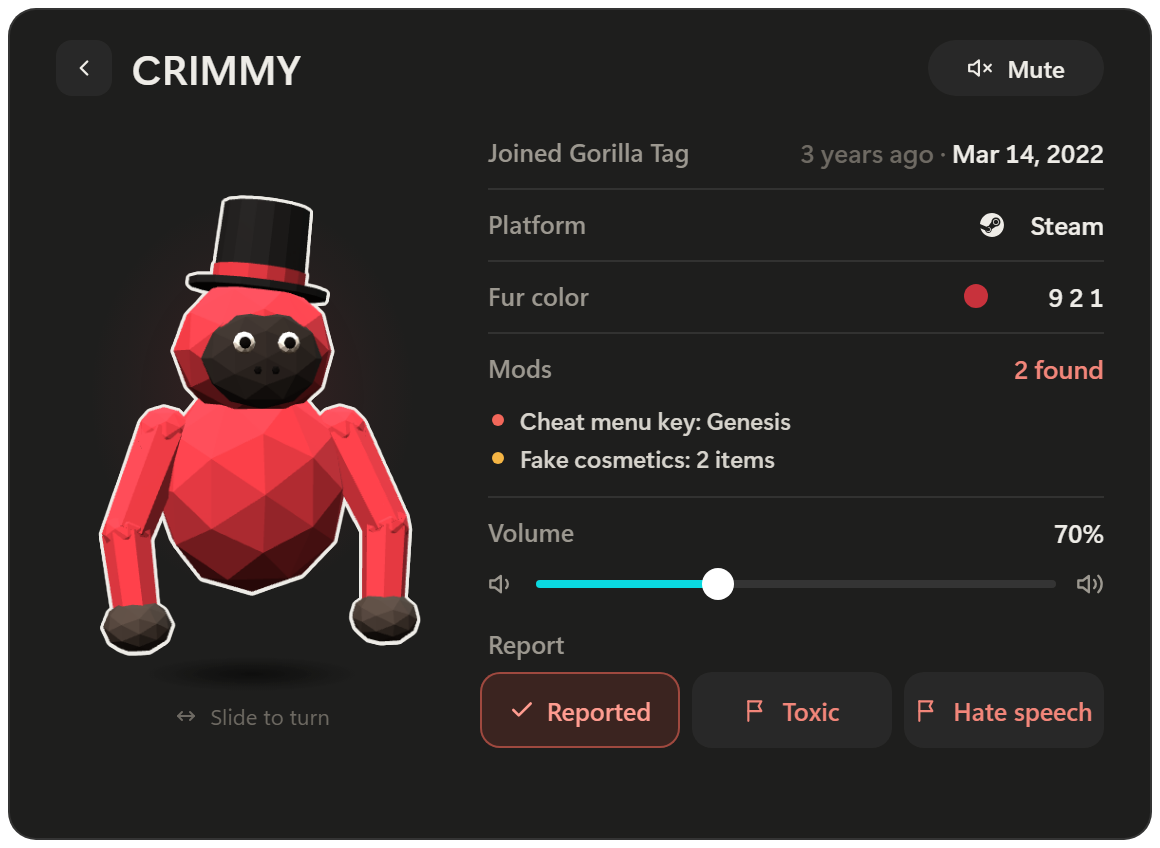
Spin their gorilla, see when they joined, mute them, set their volume up to 200% or report them.
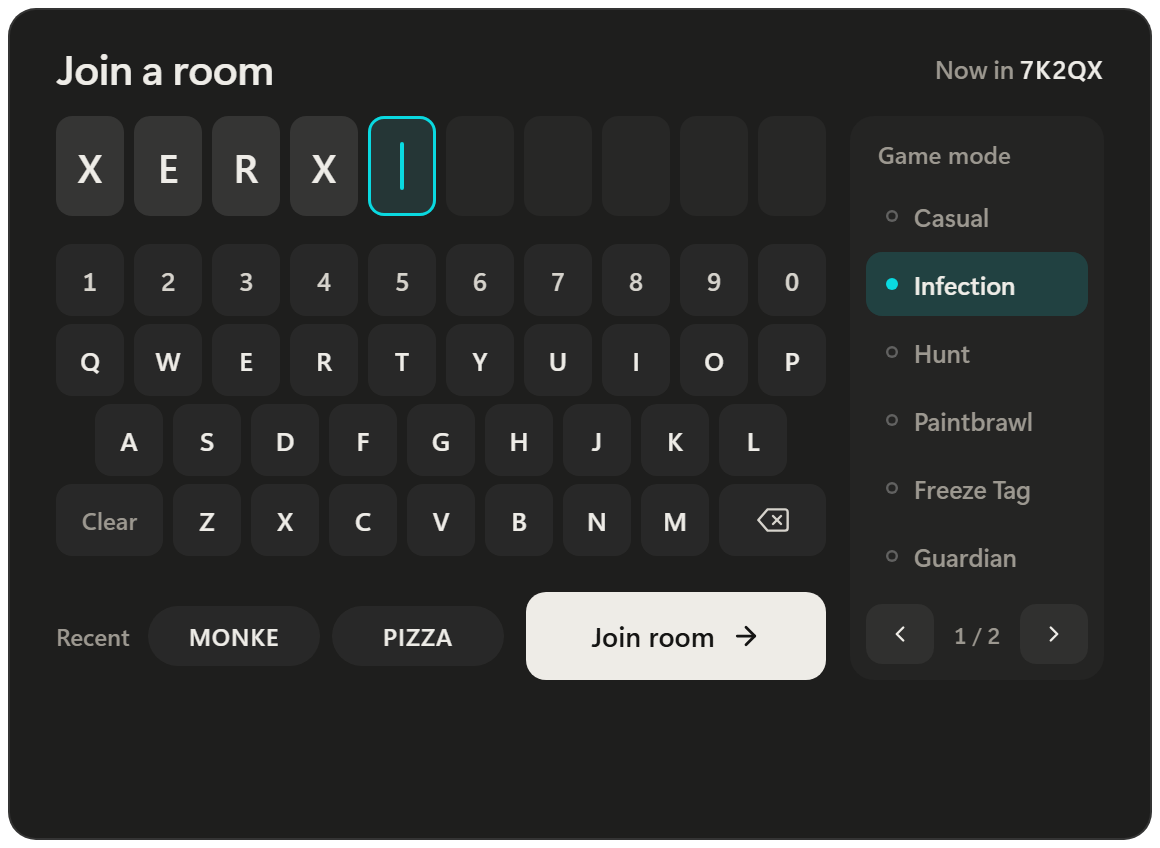
Type a room code, pick the game mode, or jump back into a recent room.
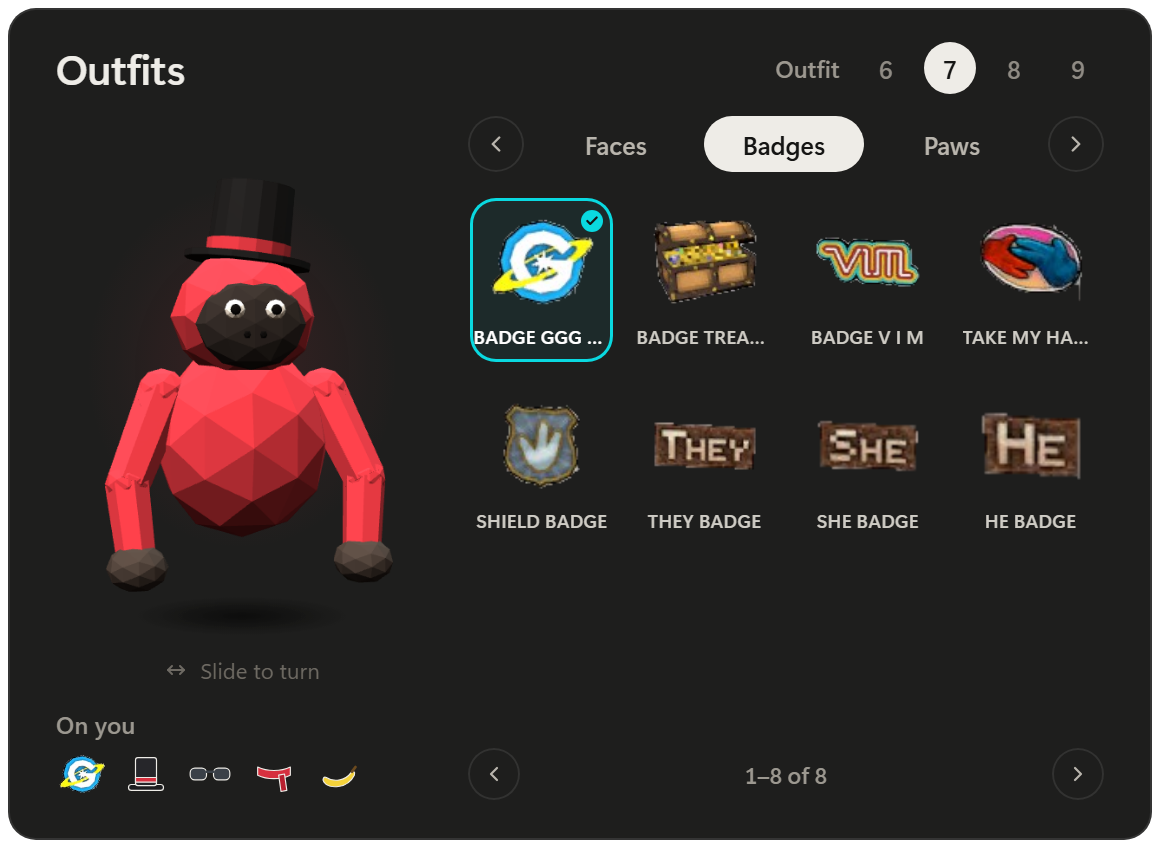
Switch saved outfits and put on anything you own, with a live mirror of your gorilla.
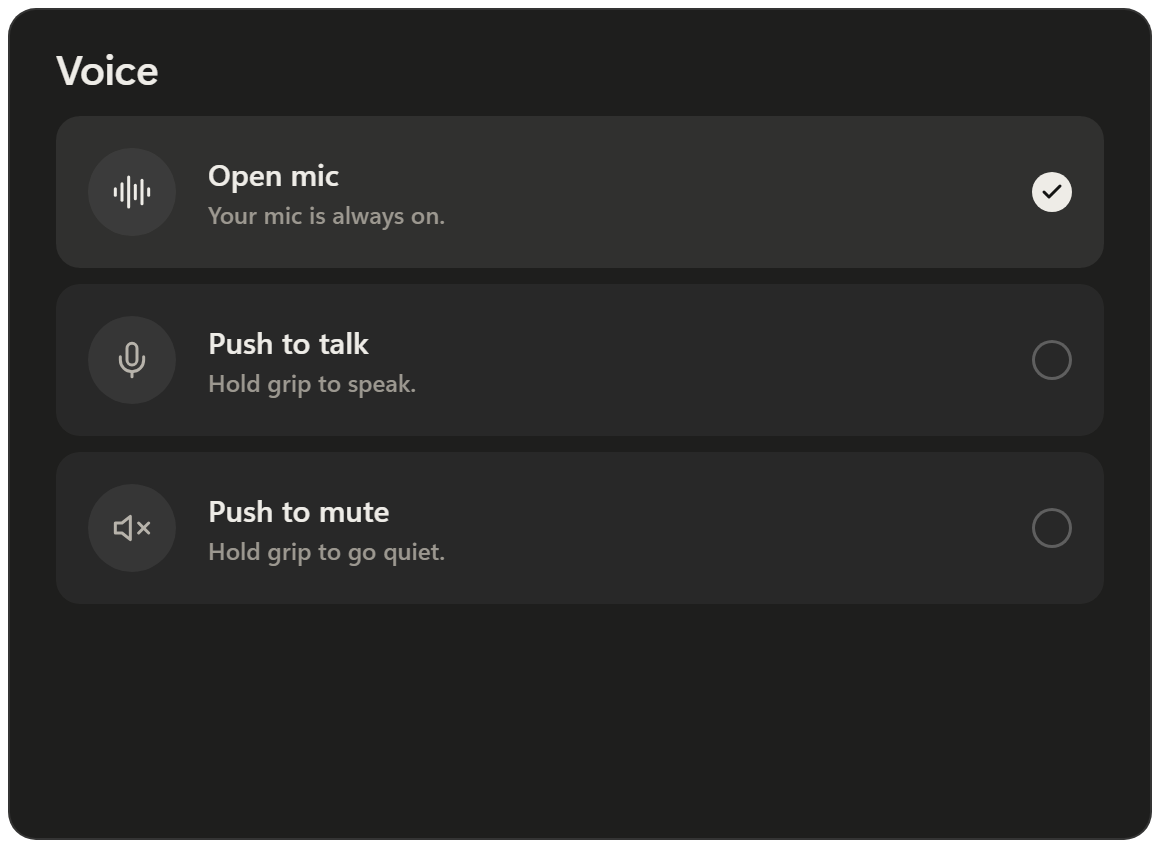
Open mic, push to talk or push to mute, changed in one tap.
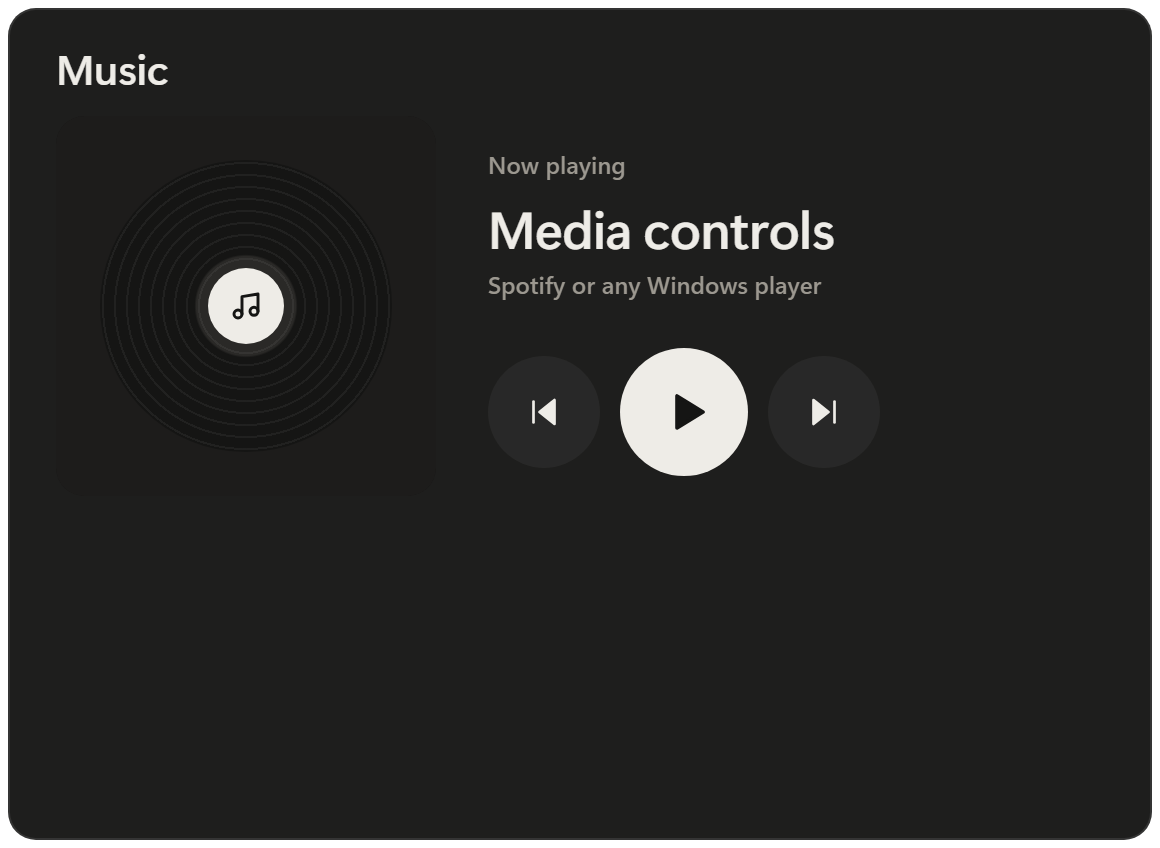
Play, pause and skip Spotify or any Windows player.
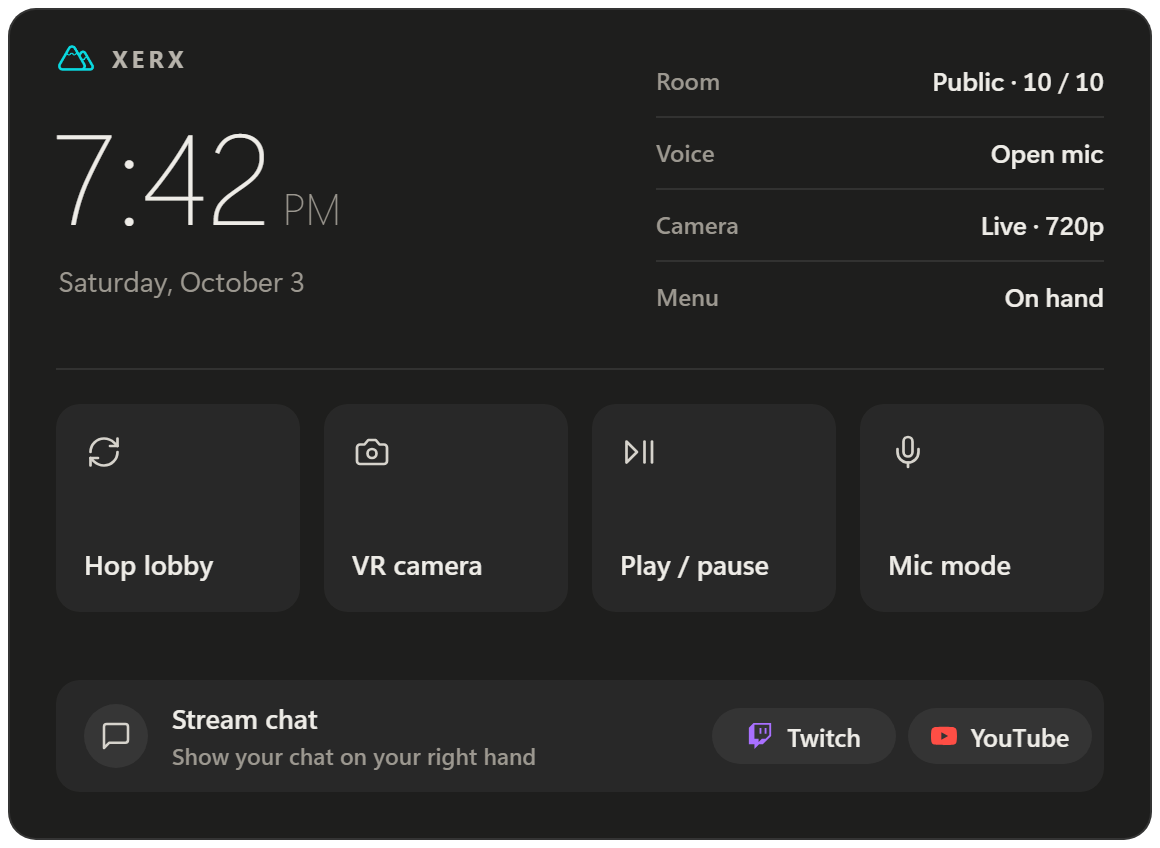
Your room, voice and camera at a glance. Put your Twitch or YouTube chat on your hand.
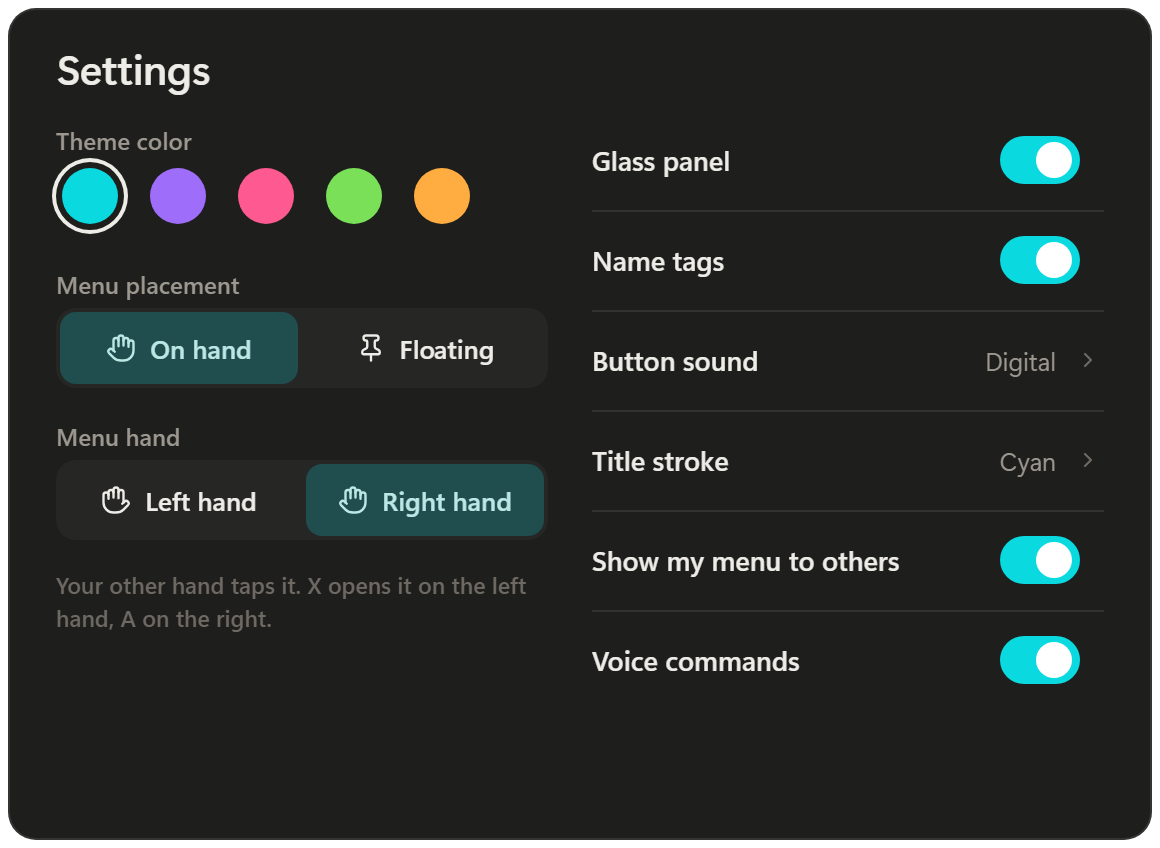
Five colors, on your hand or floating, left or right hand, three sizes.
Just say "Hey XERX".
Switch views, take a photo, start a recording or join a room without opening the menu, in your own words. Turn on Ask XERX anything and it answers questions too. Change the wake phrase on the menu's Voice tab. Commands are recognized right on your PC.
The same control from your monitor.
Press Q on your keyboard. Run the camera with your mouse, dress your gorilla, connect stream chat with your real keyboard, and keep the live view on screen for your stream.
And the small things.
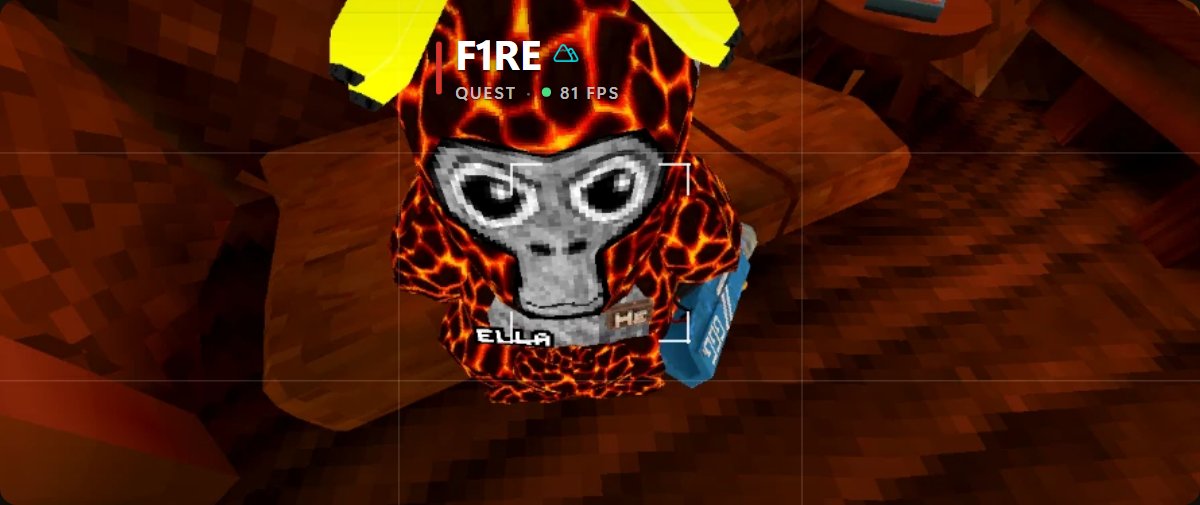
Every player's name, platform and frame rate floats above them. Other XERX players get the mark next to their name.
Their public data and movement tell you what they're running, by name.
When another XERX player opens their menu, you see it on their hand. You can turn yours off in Settings.
A short intro plays when the game loads, then the XERX mark flies to your menu hand.
Finds Gorilla Tag, loads XERX when you press Launch, keeps it up to date and signs you in with Discord and Patreon.
Pick your tier.
Connect Discord and Patreon in the launcher and your tier unlocks on its own the next time you launch.
The camera, with every mode.
- Camera
- Hand menu
- Desktop menu
- Shaders
Five camera modes, photos, MP4 video, motion settings, drone and name tags.
DownloadThe camera and the hand menu.
- Camera
- Hand menu
- Desktop menu
- Shaders
Everything in Free, plus lobby tools, the mod checker, join codes, outfits, music, stream chat and voice commands.
Join on PatreonEverything XERX has.
- Camera
- Hand menu
- Desktop menu
- Shaders
Everything in Premium, plus the desktop menu and Shaders: looks, time of day, weather and lighting effects only you see.
Join on PatreonBilling and current prices are on Patreon.
Set up in three steps.
XERX loads through BepInEx. Put it in your Gorilla Tag folder once.
It finds Gorilla Tag and keeps XERX up to date on its own.
Connect Discord, and Patreon for Premium or Kingdom. Then press Launch.
Questions.
What do I need?
A Windows PC with a VR headset (Link, Air Link, Virtual Desktop or SteamVR), Gorilla Tag on PC, and BepInEx in the game folder.
Where do my photos and videos go?
Photos are saved to Pictures\XERX Camera as JPGs, and videos to Videos\XERX Camera as MP4s that play anywhere.
Does my voice leave my PC?
Not for commands. Voice commands use an offline speech engine that runs on your PC; it downloads once (about 55 MB) the first time you turn them on. If you turn on Ask XERX anything, what you say after the wake phrase is sent to the XERX server so it can be understood in your own words and answered. It isn't kept.
Do I keep the launcher open?
You can close its window while you play. It waits in the background until Gorilla Tag closes, then cleans up.
I changed tiers. When does it update?
The next time you launch the game from the launcher.
Ready when you are.
Free to start. Upgrade on Patreon whenever you like.